Guides · Vocabulary for everyday life
The best vocabulary app depends on how you want to learn.
Some people want a new word on their Lock Screen. Others want to remember words from a book, prepare for an exam, or practice speaking. Those are different jobs. This guide helps you choose a vocabulary app around the one you actually need.
For daily word discovery, compare Vocabulary and Neologics. For frequency-led English learning, consider WordUp. For your own study decks, look at Anki or Quizlet. Start with the learning task, then check the plan and platform.
We make Neologics. Comparisons use the developers’ published information, checked September 7, 2026. Recommendations reflect use cases; they are not results from hands-on performance testing. Product names belong to their respective owners.
A vocabulary-app shortlist by learning goal
These are use-case recommendations based on the developers’ published product information. The order is a reading order, not a measured ranking. We make Neologics, and we explain where other approaches can be a better fit.
| App | Consider it for | Check before choosing |
|---|---|---|
| Vocabulary by Monkey Taps | Daily words, personalization, and widgets | Which daily-learning features are included in your plan |
| Neologics | Word explanations, origins, and a daily iPhone routine | Whether the curated feed and Pro access fit your needs |
| WordUp / Zann | Prioritizing useful English words with contextual examples | Current platform, plan, and knowledge-map experience |
| Anki | Building and reviewing your own flashcard decks | Setup effort and the separate iOS purchase |
| Quizlet | Creating or finding study sets for a class or topic | Set quality and access to your preferred study mode |
| Vocabulary.com | Dictionary explanations followed by adaptive practice | Current account options and platform availability |
| Magoosh Vocabulary Builder | A focused set of words for exam vocabulary practice | Whether the word selection matches your exam |
| Elevate | Vocabulary within a broader daily training routine | How much of your session you want to spend on other skills |
For a word-of-the-day habit: Vocabulary and Neologics
Vocabulary – Learn words daily is the Monkey Taps app at thevocabulary.app. Its published materials describe daily discovery, difficulty levels, pronunciation, examples, personalization, and widgets. It is a natural place to start if you want words to appear throughout the day.
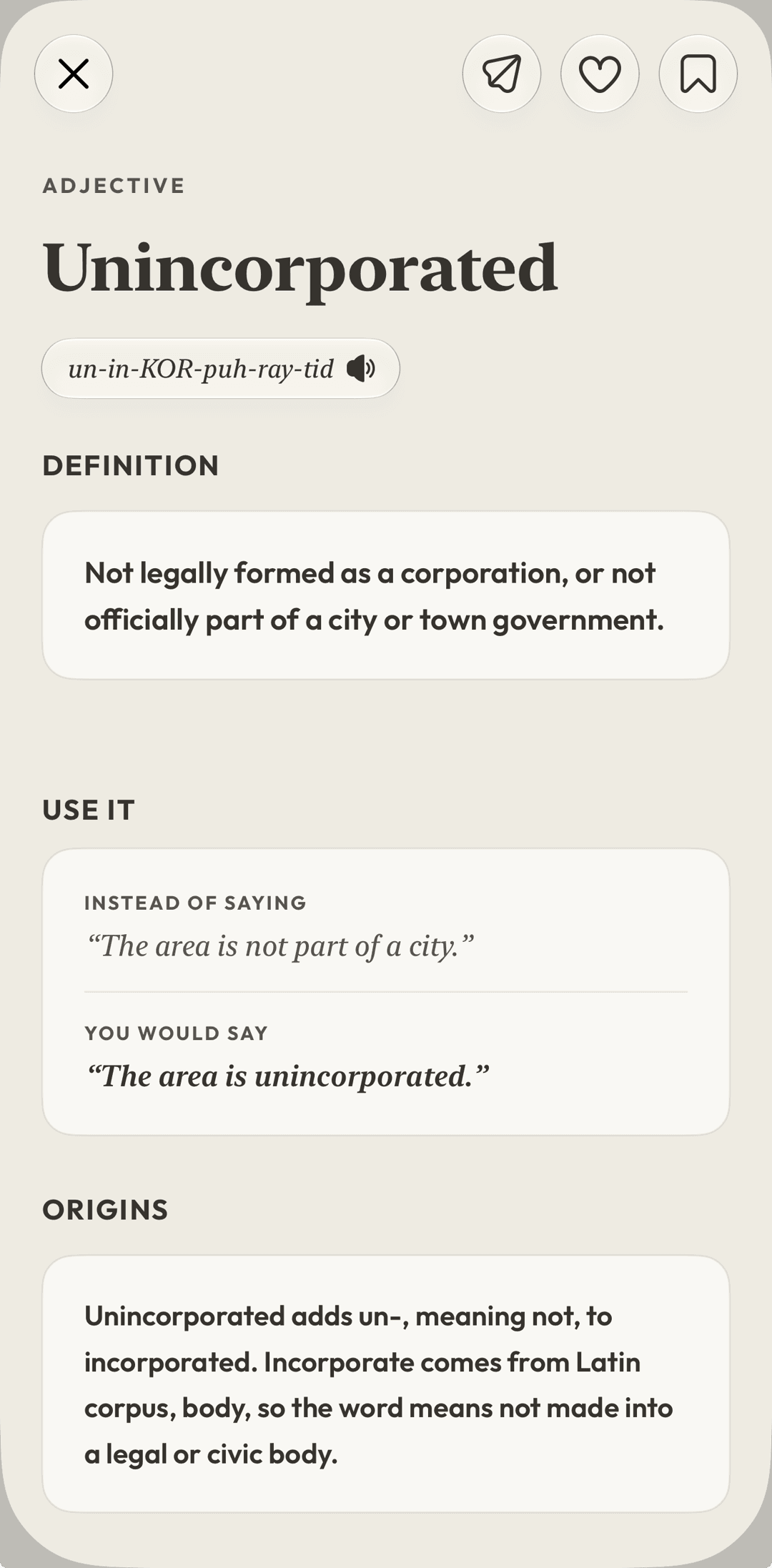
Neologics is built for an iPhone vocabulary routine that connects a word with its meaning, origins, a memory aid, and practice. The useful question is whether that explanation makes you want to use the word. Open one word, read the example, then try making your own sentence before moving on.
Both products cover more than a bare definition. A widget or an etymology section alone does not distinguish them. Compare the actual presentation, review routine, and access terms that matter to you.
Sources: Vocabulary by Monkey Taps (opens in a new tab) · Vocabulary on the App Store (opens in a new tab) · Neologics on the App Store (opens in a new tab)
For deciding which English words to learn: WordUp
WordUp, now also presented under the Zann name, emphasizes useful-word prioritization, a knowledge map, and examples of English in context. That approach is worth considering when the difficult part is choosing what to study next.
If you already know which words you want to work on, compare how easily you can save them and return to them. A large word collection is useful only when its selection and review flow suit your level.
Sources: WordUp / Zann product information (opens in a new tab) · WordUp support (opens in a new tab)
For your own material: Anki and Quizlet
Anki is a strong candidate when control over cards and review scheduling matters most. You can create material around a course, a book, or a specialist topic. That flexibility also means taking responsibility for the quality and maintenance of your cards.
Quizlet organizes learning around flashcard sets and study activities. It is useful to consider when you want material aligned with a class or an existing set. Check the content of a shared set yourself; availability does not guarantee accuracy.
A curated vocabulary app can save preparation time. A deck-based tool can give you more control. Neither advantage replaces the need to practice the words you want to remember.
Sources: Official Anki applications (opens in a new tab) · Quizlet study overview (opens in a new tab)
For lookup and exam practice: Vocabulary.com and Magoosh
Vocabulary.com connects dictionary explanations with adaptive questions. It is a separate product from Vocabulary by Monkey Taps. Consider it when looking up an unfamiliar word is the natural start of your study session.
Magoosh’s Vocabulary Builder offers a defined, leveled collection of 1,200 words. It is a focused option to investigate for test preparation. Magoosh also has other flashcard products, so check that the product and word selection match the exam you are preparing for.
Sources: Vocabulary.com app (opens in a new tab) · Magoosh Vocabulary Builder (opens in a new tab)
For a broader routine: Elevate and language courses
Elevate covers reading, writing, speaking, memory, and math through its training games. Consider it if you want vocabulary to be one part of a broader routine. If your main aim is to collect and revisit particular words, compare that task directly with a dedicated vocabulary app.
If your real goal is learning a new language from the beginning, also consider a language-course app. Memrise, for example, emphasizes native-speaker videos and language practice. A vocabulary app and a language course can serve different parts of your learning.
Sources: Elevate by The Mind Company (opens in a new tab) · Memrise (opens in a new tab)
Which vocabulary apps are free—and which work on your phone?
Free to download, a free trial, and ongoing free practice are three different offers. Check what remains available after the trial: daily words, saved words, review, and widgets may have separate limits. Storefront prices and promotions can change, so the checkout shown on your device is the place to confirm the amount and renewal terms.
Anki’s desktop application and AnkiDroid are free; the official AnkiMobile iOS app is a separate purchase. Neologics is designed for iPhone and requires iOS 18 or later. For Android or a desktop-first routine, choose a product with an explicitly supported version rather than assuming an iPhone app is available everywhere.
Sources: Official Anki applications (opens in a new tab) · Neologics on the App Store (opens in a new tab)
A small test before you commit
Try your two strongest candidates with the same learning task. Give each a fair chance with words at the right difficulty. A short comparison can reveal more than a long feature list.
- Choose three unfamiliar words you might actually use.
- Read an explanation, listen to pronunciation, and save each word if supported.
- Write one sentence of your own, then return later and try recalling the meaning.
- Check the remaining free access and whether the paid offer is worth it for your routine.
Try it with a word that matters to you
Your next word starts here.
Explore daily words, origins, and personal vocabulary with Neologics for iPhone.
Free to download. Optional Pro access. Read the FAQ or contact support.